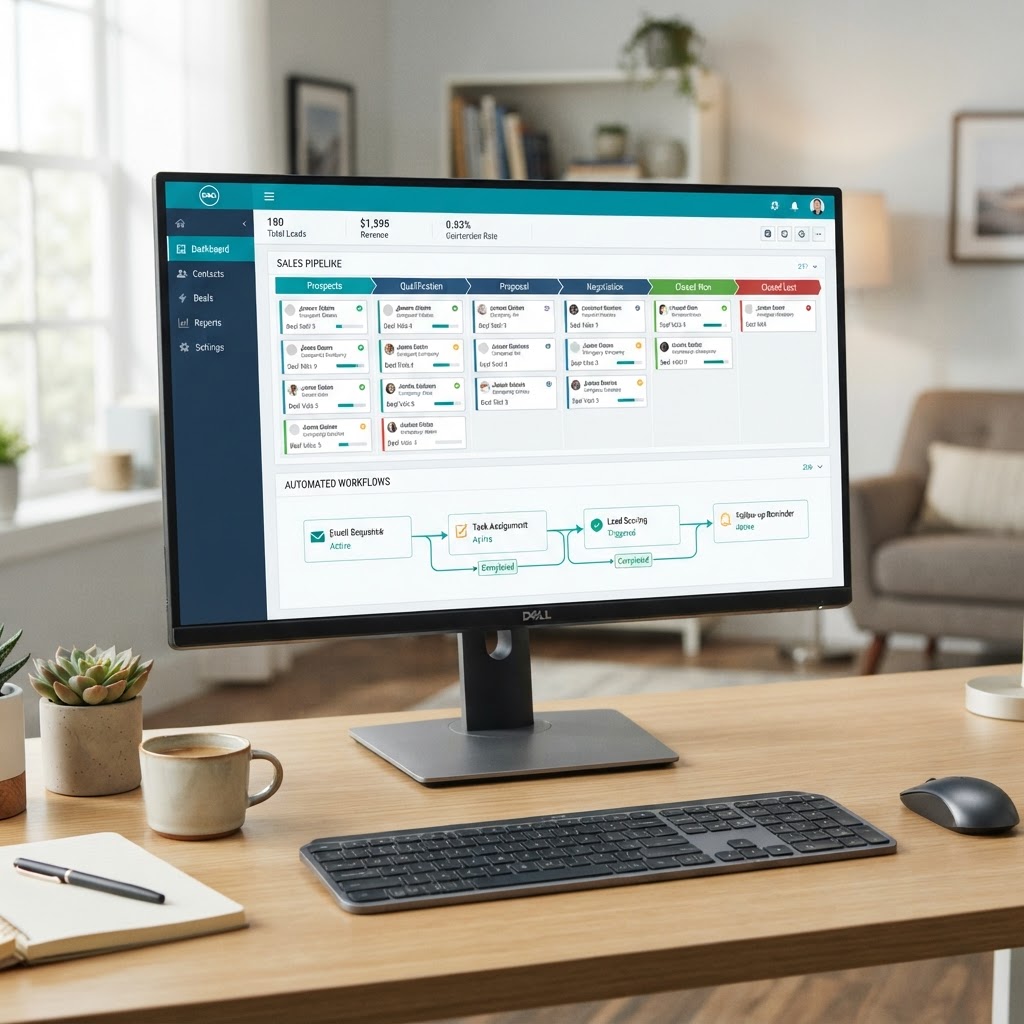
Why GoHighLevel Is Built for Local Service Businesses
GoHighLevel isn't just another CRM. It's a complete marketing and sales platform built specifically for the way service businesses actually operate — capturing leads from multiple sources, following up automatically, booking appointments, managing pipelines, generating reviews, and reporting on revenue — all from a single dashboard.
For local service businesses (HVAC, plumbing, electrical, pool service, landscaping, dental, legal, consulting — any business that generates leads and books appointments), GoHighLevel eliminates the need for 6-10 separate software subscriptions. No more paying for an email tool, an SMS tool, a calendar tool, a funnel builder, a review management tool, and a CRM that don't talk to each other. Everything lives in one system.
But GoHighLevel's power is also its complexity. A poorly configured GHL account is often worse than no CRM at all — because it creates false confidence that leads are being managed when they aren't. This walkthrough covers the complete setup process we use at E320 Consulting for every client.
Step 1: Account Structure and Sub-Account Setup
Before touching any automation, you need the right account structure. If you're an agency managing multiple clients, each client gets their own sub-account — completely isolated data, branding, and pipelines. If you're a single business, you'll work within your primary account.
Key setup tasks: Configure your business profile with accurate NAP (Name, Address, Phone) information — this data feeds into your Google Business Profile sync and citation consistency. Set up your custom domain for email sending (don't send from the default GoHighLevel domain — it hurts deliverability). Configure your SMS phone number and verify your business for A2P 10DLC compliance (required for business SMS in the US).
Step 2: Pipeline Stages for Your Business Type
The default GoHighLevel pipeline stages are generic — "New Opportunity," "Won," "Lost." These don't reflect how your business actually sells, and they'll lead to CRM adoption problems because your team won't see the system as relevant to their daily work.
Rebuild your pipeline to mirror your actual sales process. For a typical home services business:
- New Lead — Just entered the system, not yet contacted
- Contact Made — Initial outreach completed, conversation started
- Appointment Scheduled — Consultation or site visit booked
- Estimate Sent — Proposal or quote delivered
- Follow-Up — Estimate sent, awaiting decision
- Won — Active Job — Contract signed, work in progress
- Won — Completed — Job finished, eligible for review request
- Lost — Nurture — Didn't close, enrolled in long-term nurture
When pipeline stages match reality, your team uses the CRM because it helps them track their actual work — not because you told them to.
Step 3: Building Your First Lead Capture Form and Funnel
Every lead that enters your CRM needs a capture point. GoHighLevel includes a full funnel and form builder, so you don't need Leadpages or ClickFunnels.
Build a dedicated landing page for each major service line — not a single generic "Contact Us" page. Each page should have a simple form (name, phone, email, and one qualifying question) that feeds directly into the pipeline stage you defined. When the form is submitted, the lead enters the CRM, triggers the follow-up automation, and notifies the assigned sales rep — all automatically.
Key form principles: Keep it short (3-4 fields max for initial capture). Use progressive profiling — ask for more details later in the process, not upfront. Make the submit button specific ("Get My Free Estimate" beats "Submit").
Step 4: Setting Up the Follow-Up Automation Workflow
This is where most GoHighLevel setups fail — and where E320's setups excel. The follow-up workflow is the automated sequence that touches a lead across SMS, email, and voicemail over the first 14 days after they enter your system.
Build the workflow in this order: trigger (form submission) → immediate SMS (within 60 seconds) → immediate email (within 2 minutes) → team notification (within 5 minutes) → Day 1 value email → Day 3 SMS follow-up → Day 5 social proof email → Day 7 voicemail drop → Day 14 final follow-up → Day 30+ monthly nurture.
Critical: Add a condition that pauses the automation when the lead responds. Once a human conversation starts, the automated sequence should stop — there's nothing worse than a prospect getting an automated "just checking in" text while they're actively on the phone with your sales rep.
Step 5: Review Request Automation
Reviews are the lifeblood of local service businesses. GoHighLevel automates the entire review generation process.
Set up a trigger that fires when a job moves to the "Won — Completed" pipeline stage. After a 24-hour delay (to let the customer experience the completed work), the system sends a personalized SMS asking for a Google review with a direct link. If the customer doesn't respond in 3 days, send a follow-up email. Route any responses below 4 stars to your team for personal follow-up before they become public reviews.
This simple automation typically increases review velocity by 3-5x within 60 days — which directly improves your local search rankings and conversion rates.
Step 6: Reporting Dashboard Setup
GoHighLevel's reporting is only as good as its configuration. Build a dashboard that shows the metrics that actually matter to your business: total leads by source, appointments booked and attended, pipeline conversion rates by stage, revenue closed, cost per lead by channel, and review count and rating trend.
Set up weekly automated reports that get emailed to your team every Monday morning — so everyone starts the week knowing exactly where the pipeline stands.
Common Setup Mistakes to Avoid
- Over-automating: Don't try to build every possible workflow on day one. Start with lead follow-up, then add sequences incrementally.
- Generic copy: Automated messages should feel personal. Use the lead's name, reference their specific inquiry, and sign off as a real person.
- No team training: The best CRM setup is useless if your team doesn't use it. Train everyone on pipeline management, lead response, and reporting.
- Ignoring data hygiene: Regularly clean up duplicate contacts, update stale pipeline entries, and archive dead leads.
Why Having an Expert Set It Up Saves 40+ Hours
A proper GoHighLevel setup takes 20-40 hours of focused configuration work — pipeline design, workflow building, form creation, calendar setup, SMS compliance, email deliverability, reporting dashboards, and team training. Most business owners who attempt DIY setup spend 60+ hours and end up with a half-configured system that underperforms.
At E320 Consulting, we build complete GoHighLevel systems for Tampa Bay service businesses — and we include the platform at no additional cost. If you want it done right from day one, book a free Discovery Voyage and we'll show you exactly what your GHL setup would look like.
Included With Every E320 Partnership
GoHighLevel CRM — At No Extra Cost
When you partner with E320 Consulting, GoHighLevel CRM and expert setup is included — no separate software fee.
About the Author

Noah Marsh
Co-Founder & Digital Strategy Director · E320 Consulting
Noah is a University of Tampa graduate with deep expertise in data analytics, CRM architecture, and performance marketing. As E320's digital strategy director, he builds the GoHighLevel automation systems, SEO frameworks, and performance dashboards that translate marketing strategy into measurable results for Tampa Bay businesses.
Explore This Topic Further
Part of our coverage on: GoHighLevel CRM • Marketing Automation • Lead Generation • CRM Setup
Read Next
10 Things You Can Do Right Now to Improve Your AI Visibility
Ten practical things any business can do to improve its AI visibility, in working order: test what the engines say, make your site readable to machines, answer real questions on your site, keep reviews fresh, publish on your Google Business Profile, keep your NAP consistent, add structured data, earn independent mentions, show up in community threads, and measure every month.
ChatGPT Ads Are Here. An Ad Is Still Not a Recommendation.
Ads have arrived in AI search: ChatGPT started testing them in February 2026 and Google puts them inside AI Overviews. But an ad is rented attention, not a recommendation. Perplexity pulled its own ads for trust reasons. Here is what that means for a local business budget.
Conversion Rate Optimization in Tampa: Why Your Traffic Is Not Becoming Customers
CRO turns existing traffic into more customers without more ad spend. What the process covers, where Tampa Bay sites typically leak leads, and what a 15-40% lift within 60-90 days actually requires.
Free · 45 Min · No Contracts
Turn These Insights Into Real Growth
Book a free Discovery Voyage with Keith Marsh — E320 Consulting's founder and fractional CMO. In 45 minutes, we'll audit your marketing, identify your top 3 growth opportunities, and give you a clear roadmap.
Whether you hire us or not, you'll leave with real, actionable insights.
Keith Marsh personally on every call · Ruskin, FL · (656) 565-8375