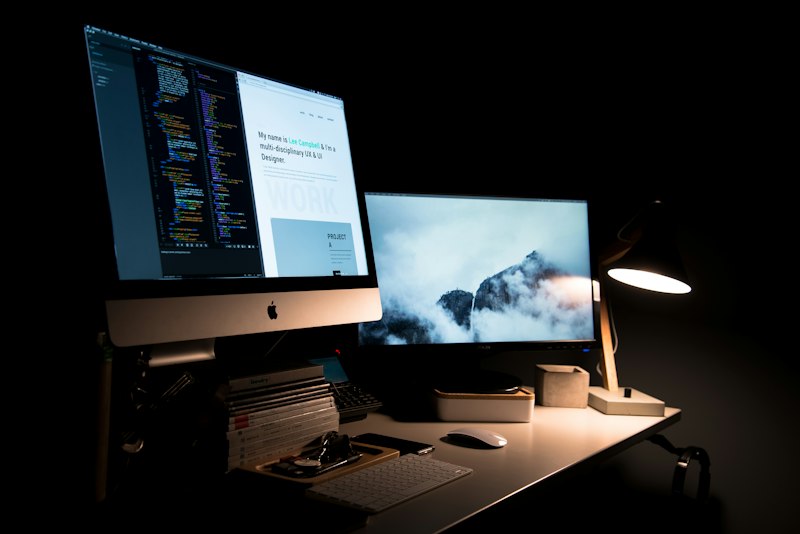
Why 72 Hours? (And Why Speed Doesn't Mean Cutting Corners)
When we tell Tampa Bay business owners that we build custom, conversion-optimized websites in 72 hours, the most common response is: "That sounds like a template." It's not.
The 72-hour timeline is possible because AI-assisted development has fundamentally compressed the parts of website building that used to be slow — design iteration, component generation, and code scaffolding. What once took 3 weeks of back-and-forth with a designer now happens in hours. The parts that require human strategic judgment — understanding your business, crafting your positioning, writing conversion copy, optimizing for your specific audience — those don't get compressed. They're still done with full strategic attention. They just don't need to happen sequentially over months.
Here's exactly how the process works, hour by hour.
Hour 0–2: The Discovery Intake and Brand Brief
Every vibe-coded website starts with a structured discovery process, not a blank canvas. Before we open a single design tool, we need to understand the strategic context the site operates in.
The discovery intake covers:
- Your audience: Who are your ideal customers? What are they searching for when they find you? What are their biggest concerns before choosing a business like yours?
- Your primary conversion goal: What is the single most important action you want a website visitor to take? (Book a call, request a quote, schedule an appointment, download a guide)
- Your brand vibe: Describe 3–5 brands — in any industry — whose design and tone you admire. This is where the "vibe" in vibe-coded comes from. "Apple-level minimalism with a warm, local feel" is a brief. "Something professional" is not.
- Your service lines: What are your top 3 services, and what specific outcomes do you deliver for clients? We need outcome-language for copy, not feature-language.
- Social proof inventory: What testimonials, case studies, star ratings, or media mentions can we feature? Social proof is conversion infrastructure — we need real material to work with.
- Competitive context: Who are your top 2–3 local competitors, and how do you want to be perceived differently?
This intake takes 60–90 minutes and produces the strategic brief that guides every design and copy decision that follows.
Hours 2–8: Sitemap, Wireframe, and Design Direction
With the brief in hand, the strategist builds the site architecture — the sitemap defining which pages the site needs and the wireframe defining the content sections and hierarchy of each page.
Simultaneously, we use the brand brief to generate 8–12 AI-assisted design directions inside our development platform. Each direction interprets the brand's vibe through different combinations of color palette, typography pairing, layout density, imagery style, and component aesthetic.
You receive these directions via a share link and select 2–3 favorites. The feedback doesn't need to be technical — "I love the dark background with gold accents but the typography feels too formal" is exactly the right kind of note. The strategist synthesizes your feedback into a refined design direction that moves into the build phase.
This iteration cycle — which previously consumed 2–3 weeks of agency back-and-forth — takes 2–4 hours with AI-assisted direction generation.
Hours 8–24: Design Pass — Brand Integration and Copy
With the direction confirmed, the build begins. The strategist works through the site page by page, applying the selected visual direction while writing all headlines, subheadings, body copy, and CTAs from scratch.
This is the phase that most separates a vibe-coded E320 site from a template or a pure AI-generated output. AI-generated copy is generic — it reads like a marketing brochure and converts like one, too. Every word of copy on an E320 site is written by a human strategist using the specific language, outcomes, and voice from your discovery brief. The headline on your hero isn't "Professional Services You Can Trust" — it's "Custom Outdoor Living Spaces for Tampa Bay Homeowners Who Want the Yard Their Neighbors Will Notice."
By Hour 24, the primary pages — homepage, services overview, about, and contact — are in first-draft form and ready for review.
Hours 24–48: Development Build and Integrations
This phase completes the full site build and connects all integrations:
- GoHighLevel CRM integration: All lead capture forms are connected to GHL, with contact records, pipeline entries, and automation sequences activated so new leads are followed up within 60 seconds
- Analytics integration: Google Analytics 4 and GoHighLevel tracking pixels installed and tested
- SEO foundation: Meta titles, meta descriptions, schema markup (LocalBusiness, Organization, BreadcrumbList), and sitemap.xml configured
- Performance optimization: Images compressed to WebP, JavaScript minimized and lazy-loaded, caching configured
- Secondary pages: Individual service pages, location pages (if applicable), FAQ page, blog infrastructure
Hours 48–68: Review, Revisions, and Mobile QA
You receive the full site preview link and provide feedback. Our revision scope covers copy refinements, design adjustments, content additions, and any structural changes within the agreed page count.
Simultaneously, the development team runs full QA across devices and browsers:
- Mobile layout and tap targets on iPhone and Android
- Desktop layout on Chrome, Safari, Firefox, and Edge
- Form submission testing — every form tested to confirm leads flow into GoHighLevel correctly and trigger the right automation sequences
- Core Web Vitals check — LCP, INP, and CLS measured against Google's thresholds
- Broken link audit and 404 checks
- Page load speed benchmarking on mobile and desktop connections
Hours 68–72: Launch and 30-Day Support Window
Final review call to confirm everything looks right. Domain connection or DNS update. SSL certificate confirmation. Final GoHighLevel pipeline review to confirm lead routing. Go live.
Every E320 vibe-coded website includes a 30-day post-launch support window: any bugs, copy refinements, or technical issues reported within 30 days are resolved at no additional cost. After launch, the site is fully yours — you can update content, add pages, and make changes independently, with E320 available for ongoing support as needed.
What's Included in the 72-Hour Build
- Custom, on-brand homepage with conversion-optimized hero, services overview, social proof, and CTAs
- Individual service pages (up to 5)
- About page with team bios and E-E-A-T credentialing
- Contact page with GoHighLevel-integrated lead capture form
- Mobile-responsive design QA'd on real devices
- SEO foundation (meta tags, schema, sitemap, robots.txt)
- Performance optimization (Core Web Vitals compliant)
- GoHighLevel CRM integration with lead routing and automation activation
- Analytics integration (GA4 and GHL tracking)
- 30-day post-launch support window
How Much Does a Vibe-Coded Website Cost?
E320's vibe-coded website Pro Package starts at $1,995 (Summer Special — usually $2,000–$6,000 depending on scope) plus a $350/month maintenance and hosting retainer that covers ongoing updates, security, and support.
For context: a traditional agency engagement for a comparable custom site typically runs $8,000–$20,000 and takes 2–3 months. A freelance designer typically charges $3,000–$8,000 and delivers in 4–8 weeks. The vibe-coded model delivers comparable or superior results at a fraction of the cost and a fraction of the timeline.
Ready to launch your site? Book a free 45-minute Discovery Voyage — we'll walk through your current site, identify your conversion gaps, and show you exactly what we'd build.
Or explore the full service details and pricing on our vibe-coded website service page.
About the Author

Noah Marsh
Co-Founder & Digital Strategy Director · E320 Consulting
Noah is a University of Tampa graduate with deep expertise in data analytics, CRM architecture, and performance marketing. As E320's digital strategy director, he builds the GoHighLevel automation systems, SEO frameworks, and performance dashboards that translate marketing strategy into measurable results for Tampa Bay businesses.
Explore This Topic Further
Part of our coverage on: Vibe-Coded Websites • Web Design • AI Technology • Conversion Optimization
Read Next
10 Things You Can Do Right Now to Improve Your AI Visibility
Ten practical things any business can do to improve its AI visibility, in working order: test what the engines say, make your site readable to machines, answer real questions on your site, keep reviews fresh, publish on your Google Business Profile, keep your NAP consistent, add structured data, earn independent mentions, show up in community threads, and measure every month.
ChatGPT Ads Are Here. An Ad Is Still Not a Recommendation.
Ads have arrived in AI search: ChatGPT started testing them in February 2026 and Google puts them inside AI Overviews. But an ad is rented attention, not a recommendation. Perplexity pulled its own ads for trust reasons. Here is what that means for a local business budget.
Conversion Rate Optimization in Tampa: Why Your Traffic Is Not Becoming Customers
CRO turns existing traffic into more customers without more ad spend. What the process covers, where Tampa Bay sites typically leak leads, and what a 15-40% lift within 60-90 days actually requires.
Free · 45 Min · No Contracts
Turn These Insights Into Real Growth
Book a free Discovery Voyage with Keith Marsh — E320 Consulting's founder and fractional CMO. In 45 minutes, we'll audit your marketing, identify your top 3 growth opportunities, and give you a clear roadmap.
Whether you hire us or not, you'll leave with real, actionable insights.
Keith Marsh personally on every call · Ruskin, FL · (656) 565-8375